
Your Website Is Losing Half Your Leads in 3 Seconds — And You Probably Don't Know It
Slow sites don't announce themselves — they just quietly leak enquiries. Here's a 10-minute speed audit, the real culprits behind bad Core Web Vitals, and the fix list I run for every client.
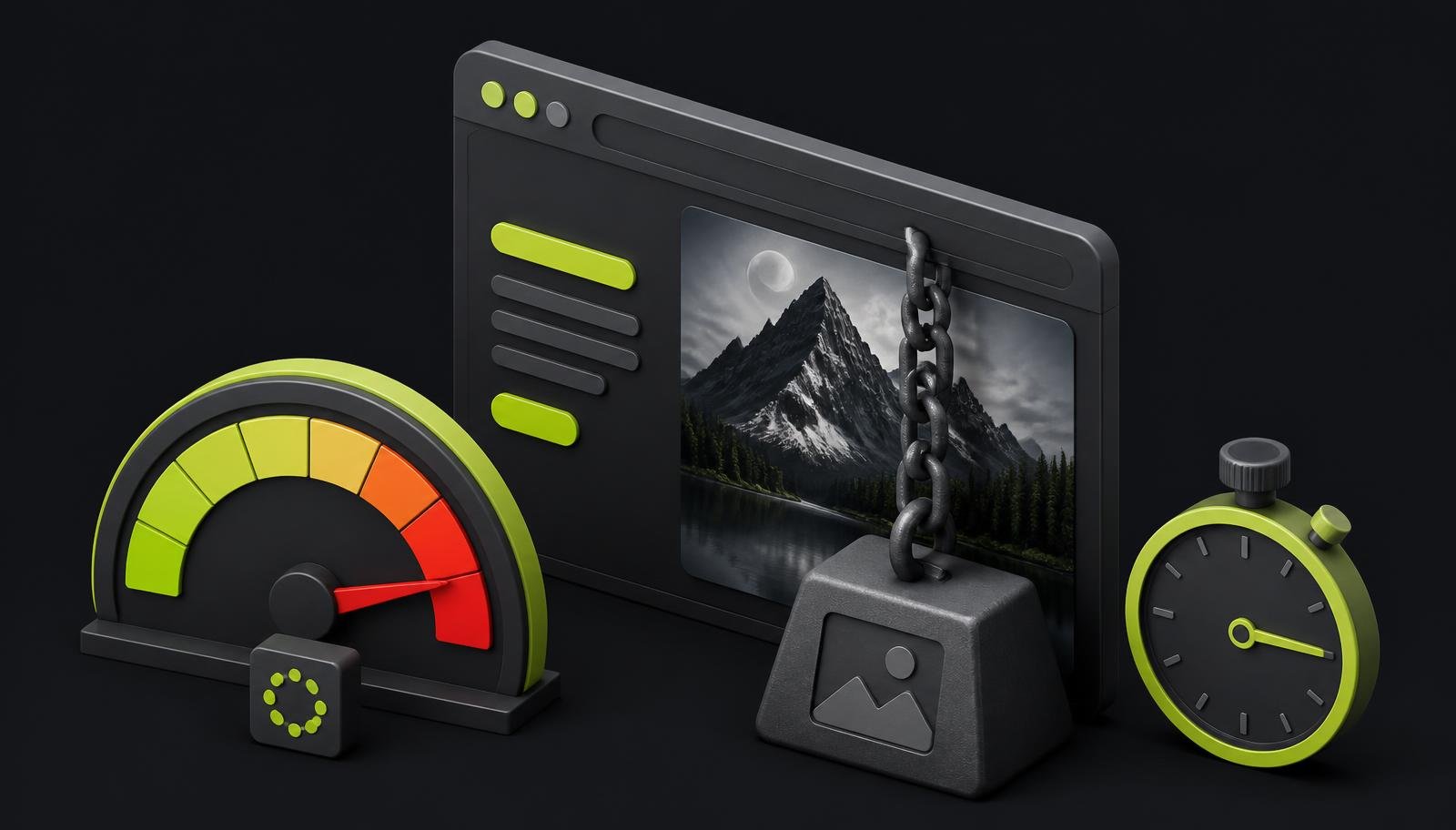
If your website feels even slightly slow, it is probably leaking leads before visitors read your headline. In 2026, speed is not just “nice UX”. It affects conversions, Core Web Vitals, SEO visibility, paid ad ROI, and even how AI crawlers understand your site. The good news? Most fixes are boring, practical, and very fixable.
Why does 3 seconds matter so much?
Because nobody visits your website with patience in their pocket.
They come from Google, Instagram, WhatsApp, ads, referrals, or AI search. They tap. They wait. If your page stutters, jumps, shows a blank screen, or loads like it is travelling by bullock cart, they leave.
Simple.
And small-business websites are especially vulnerable because they often run on:
- A fancy WordPress theme
- A heavy page builder
- Giant hero images
- Too many plugins
- Cheap shared hosting
- Random tracking scripts added over the years
- Fonts from three different places
- No caching
- No CDN
- No image optimisation
Basically, the website equivalent of a scooter carrying six people and two gas cylinders.
A slow website does not just reduce traffic. It silently reduces trust.
I have seen this again and again while working on websites through my services. Business owners think their website has a “lead quality” problem. But many times, it is a speed problem wearing a fake moustache.
What are Core Web Vitals in 2026?
Core Web Vitals are Google’s way of measuring whether your website feels fast, stable, and responsive for real users.
The main three are:
| Metric | What it measures | Good target |
|---|---|---|
| LCP | How quickly the main content loads | 2.5 seconds or faster |
| INP | How quickly the page responds to clicks/taps | 200 ms or faster |
| CLS | How much the page layout jumps around | 0.1 or lower |
Let’s make that human.
LCP: Does the main thing show up fast?
LCP stands for Largest Contentful Paint.
In most small-business websites, this is usually:
- The hero image
- The main heading section
- A banner
- A large background image
- A featured product image
If your hero section takes five seconds to appear, your visitor is staring at nothing useful. Not ideal.
INP: Does the site react when someone clicks?
INP stands for Interaction to Next Paint.
It replaced FID because it gives a better picture of real interaction performance.
If someone taps your menu, clicks a button, opens a form, or selects a filter, does the page respond quickly? Or does it freeze like an old Windows laptop?
Bad INP usually comes from:
- Heavy JavaScript
- Bloated page builders
- Too many third-party scripts
- Sliders and animations
- Poor plugin quality
- Overloaded browser main thread
CLS: Does the page jump around?
CLS stands for Cumulative Layout Shift.
You know when you try to click a button, but suddenly an image loads and the button jumps down? That is CLS being annoying.
Common causes:
- Images without width and height
- Ads loading late
- Embedded videos
- Web fonts swapping badly
- Cookie banners pushing content
- Popups and sticky bars
If your website jumps while loading, your visitor’s trust jumps out with it.
How does speed affect conversions?
Speed affects conversions because the visitor’s brain is doing tiny trust calculations every second.
A fast site feels:
- Professional
- Reliable
- Safe
- Modern
- Easy to use
A slow site feels:
- Outdated
- Risky
- Unmanaged
- Confusing
- Not worth waiting for
This matters for every type of small business:
- A clinic appointment page
- A local service website
- A SaaS landing page
- A real estate enquiry page
- An ecommerce product page
- A consultant’s portfolio
- A course sales page
- A B2B lead generation page
If your site is slow, your marketing becomes more expensive. You pay for clicks, but the page fails before the pitch even starts.
That is painful.
If you are running Google Ads or Meta Ads, speed is not optional. A slow landing page can waste budget faster than a Delhi wedding buffet disappears.
What actually makes small-business websites slow?
Let’s be honest. Most websites are not slow because of one big villain.
They are slow because of 27 small bad decisions.
Here are the usual suspects.
Is your giant hero image killing your LCP?
Very likely.
This is the most common issue I see.
Someone uploads a beautiful 5000px-wide image straight from a camera or Canva. It looks sharp. It also weighs 3 MB. Then it becomes the first thing your mobile visitor has to download on a 4G connection.
Bad idea.
Your homepage hero image should usually be:
- Properly compressed
- Served in WebP or AVIF
- Sized correctly for desktop and mobile
- Not loaded from a random slow server
- Not hidden behind a heavy slider
If your hero image is the LCP element, optimise it first.
Better image approach
Use:
- AVIF where supported
- WebP as a strong fallback
- JPEG only when needed
- PNG only for logos, icons, and transparency
- SVG for simple vector graphics
- Responsive image sizes for different screens
A mobile user does not need your 2400px desktop banner. Give them a smaller version.
The fastest image is not the prettiest image. It is the right-sized image.
Are page builders slowing everything down?
Sometimes, yes.
I am not anti-page-builder. Tools like Elementor, WPBakery, Divi, and others can be useful. But many small-business sites use them like a buffet plate.
Too many sections. Too many animations. Too many nested containers. Too many addons. Too much JavaScript and CSS.
The result?
A simple service page loads like an enterprise dashboard.
Common page builder problems:
- Bloated DOM size
- Unused CSS
- Unused JavaScript
- Multiple animation libraries
- Extra wrappers around every element
- Addon plugins loading assets site-wide
- Slower editor-created layouts compared to lean custom builds
This is why I often recommend either a lean build or a cleaned-up WordPress setup depending on budget, goals, and future maintenance. You can see the kind of projects I work on in my work.
Are 12 tracking scripts really that bad?
Yes. Sometimes worse than the images.
Tracking scripts are sneaky.
One script becomes three. Then someone adds a heatmap. Then a chatbot. Then a pixel. Then a popup tool. Then a CRM widget. Then a reviews widget. Then a social feed. Then an analytics tool nobody has opened since 2022.
Each one may add:
- Network requests
- JavaScript execution
- Main thread blocking
- Cookie prompts
- Layout shifts
- Delayed interactions
Common scripts I see stacked together:
- Google Analytics
- Google Tag Manager
- Meta Pixel
- LinkedIn Insight Tag
- Hotjar or Microsoft Clarity
- Chat widgets
- WhatsApp widgets
- Popup tools
- CRM forms
- Review badges
- Social media embeds
- Ad retargeting tags
I am not saying remove all tracking. I am saying earn the right to keep each script.
Ask:
- Do we use this data?
- Is this script needed on every page?
- Can it load after interaction?
- Can it be fired only on key pages?
- Can we replace three tools with one?
Is cheap shared hosting costing you leads?
Yes, often.
Hosting is like the kitchen of your restaurant. You can have a beautiful menu, but if the kitchen is slow, customers get irritated.
Cheap shared hosting often causes:
- Slow server response time
- Random downtime
- Poor database performance
- No proper caching
- Overcrowded servers
- Slow admin panel
- Weak support
For a small brochure website, you do not need a NASA server. But you do need decent hosting.
Look for:
- Good server response time
- Data centre close to your audience
- Built-in caching
- CDN support
- HTTP/2 or HTTP/3
- Latest PHP version if using WordPress
- Proper security and backups
If your audience is in India, host accordingly or use a CDN. If your audience is in the US, UK, Australia, or Gulf, plan delivery properly.
This matters a lot for international clients. At TechTipsTool, I often work with businesses targeting different regions, so hosting and CDN setup is not an afterthought.
Are fonts blocking your page?
Fonts look harmless. They are not.
Custom fonts can slow your site when:
- Too many font families are loaded
- Too many weights are used
- Fonts are loaded from external sources
- Text waits for fonts before appearing
- Font files are large
- Icons are loaded as font libraries
A typical small-business site does not need:
- 3 font families
- 9 weights
- Italics for every weight
- Font Awesome loaded everywhere
- Multiple Google Fonts calls
Use fewer fonts.
My usual recommendation:
- One primary font family
- Two or three weights max
- System font stack when performance is critical
- Preload important fonts
- Use font-display properly
- Host fonts locally where sensible
Fonts should improve brand feel, not hold the website hostage.
What common speed problems should you look for?
Here is the quick “what is broken and what to do” table.
| Common problem | Symptom you notice | Likely metric affected | Practical fix |
|---|---|---|---|
| Giant hero image | Main section loads slowly | LCP | Compress, convert to WebP/AVIF, serve responsive sizes |
| Heavy page builder | Page feels bloated and slow | LCP, INP | Remove unused widgets, reduce addons, rebuild key sections leanly |
| Too many tracking scripts | Page loads but feels stuck | INP | Audit scripts, delay non-critical tags, remove unused tools |
| Render-blocking fonts | Text appears late or flashes | LCP, CLS | Use fewer weights, preload key fonts, host locally |
| Cheap shared hosting | First load is slow everywhere | LCP, TTFB | Upgrade hosting, use caching, choose closer server location |
| No caching | Every page loads from scratch | LCP | Add page cache, browser cache, object cache where useful |
| No CDN | Far-away visitors get slow pages | LCP | Use a CDN for static assets and global delivery |
| Images without dimensions | Layout jumps while loading | CLS | Set width/height or aspect ratio boxes |
| Embedded videos | Page becomes heavy | LCP, INP | Use thumbnail preview, load video on click |
| Chat widgets | Page gets sluggish | INP | Delay loading until interaction or key pages only |
How can you run a 10-minute speed audit yourself?
You do not need to be a developer to find obvious problems.
You need 10 minutes, Chrome browser, and mild curiosity.
Step 1: Open PageSpeed Insights
Go to PageSpeed Insights and enter your homepage URL.
Test both:
- Mobile
- Desktop
Mobile matters more because most real users are on mobile, and mobile devices are less forgiving.
Look at:
- Performance score
- Core Web Vitals assessment
- LCP
- INP
- CLS
- First Contentful Paint
- Speed Index
- Total Blocking Time
- Server response time
Do not obsess over getting 100.
A fast, useful, conversion-friendly website is the goal. Not a trophy screenshot.
Step 2: Check the “largest contentful paint element”
PageSpeed Insights will usually show the LCP element.
Ask:
- Is it a hero image?
- Is it a background image?
- Is it a heading block?
- Is it loading late?
- Is it too large?
If the LCP element is an image, you have a clear first fix.
Step 3: Look at “reduce unused JavaScript”
If PageSpeed says you have lots of unused JavaScript, check what is causing it.
Often it will be:
- Page builder assets
- Theme scripts
- Slider plugins
- Analytics tools
- Chat tools
- Form plugins
- Social widgets
This is where you identify bloat.
Step 4: Open Chrome DevTools
Right-click your page and click Inspect.
Then go to:
- Network tab
- Reload the page
- Sort by Size
- Sort by Time
Look for:
- Huge images
- Slow scripts
- Too many font files
- Third-party domains
- Video files loading immediately
- CSS and JS files from plugins you barely use
Step 5: Test on your actual phone
This sounds too simple, but do it.
Open your website on mobile data, not office Wi-Fi.
Check:
- Does the main section appear quickly?
- Does the page jump?
- Can you tap the menu smoothly?
- Does the form open fast?
- Does WhatsApp click work instantly?
- Do popups block content?
Your customer is not testing your site on your MacBook Pro with 300 Mbps Wi-Fi.
They may be on a mid-range Android phone while travelling in an auto.
Build for that reality.
What should you fix first?
Speed work can become a rabbit hole. Don’t start by polishing tiny things.
Start with high-impact fixes.
| Priority | Fix | Effort | Impact |
|---|---|---|---|
| 1 | Compress and resize hero images | Low | High |
| 2 | Enable caching | Low to medium | High |
| 3 | Remove unused plugins/scripts | Medium | High |
| 4 | Upgrade poor hosting | Medium | High |
| 5 | Fix font loading | Low to medium | Medium |
| 6 | Add CDN | Low to medium | Medium to high |
| 7 | Lazy load below-fold media | Low | Medium |
| 8 | Reduce page builder bloat | Medium to high | High |
| 9 | Fix layout shifts | Medium | Medium |
| 10 | Rebuild slow templates | High | Very high |
My practical order
If I were auditing your site today, I would usually start here:
- Check hosting/server response.
- Optimise the LCP element.
- Compress and resize images.
- Enable proper caching.
- Remove obvious plugin/script bloat.
- Fix font loading.
- Lazy load non-critical media.
- Add CDN if audience is spread out.
- Clean page templates.
- Re-test and monitor.
Simple. Not glamorous. Works.
If you want professional help, my pricing page gives a starting point for website and SEO work.
How should you handle images in 2026?
Images are still the biggest low-hanging fruit.
Your image workflow should be boring and repeatable.
Use modern formats
Use:
- AVIF for best compression where supported
- WebP for strong compatibility and quality
- JPEG for fallback or specific cases
- PNG only when transparency or sharp UI graphics are needed
- SVG for logos and icons when suitable
AVIF can give excellent compression, but WebP is still a very practical default for many small-business sites.
Use responsive sizes
Do not serve the same image to every device.
A desktop hero may need a larger image. A mobile hero needs a smaller one.
Responsive images help the browser choose the right size based on:
- Screen width
- Device pixel ratio
- Layout size
- Connection conditions
This is how you avoid sending a 2500px image to a 390px mobile screen. Because that is just rude.
Compress before upload
Do not upload raw images and hope the website will magically fix everything.
Before uploading:
- Resize to the maximum display size needed
- Compress properly
- Rename files clearly
- Use descriptive alt text
- Avoid unnecessary transparency
- Avoid image text where real text works better
Don’t lazy load the hero image
Lazy loading is great for below-fold images.
But your hero image is usually above the fold. If you lazy load it, you may delay LCP.
Lazy load:
- Gallery images
- Blog images lower down
- Footer images
- Testimonials images
- Embedded maps
- Videos
Do not lazy load:
- Main logo
- Hero image
- Above-fold critical visuals
- First product image on key landing pages
How should you handle fonts without making the site ugly?
You can have good typography and good speed. You just need discipline.
Do this:
- Use one font family if possible
- Use only regular, medium, and bold
- Avoid loading unused weights
- Avoid multiple external font providers
- Preload the most important font file
- Use font-display swap or optional depending on design needs
- Host fonts locally if it improves reliability
- Use system fonts for ultra-fast pages
Avoid this:
- Loading five weights for body text
- Using separate fonts for headings, body, buttons, quotes, and menu
- Loading icon fonts for three icons
- Depending on a font file before showing any text
A website with slightly simpler fonts that loads fast will beat a beautiful slow website almost every time.
What about lazy loading, caching, and CDN?
These are three classic speed tools. Used properly, they are brilliant.
Used blindly, they create new problems.
Lazy loading
Lazy loading means loading things only when needed.
Use it for:
- Below-fold images
- Videos
- Iframes
- Maps
- Gallery items
- Long blog content media
Be careful with:
- Hero images
- Above-fold content
- Important product visuals
Caching
Caching stores generated pages or assets so the server does not rebuild everything from scratch for every visitor.
Useful caching types:
- Page caching
- Browser caching
- Object caching
- Database caching
- CDN edge caching
For WordPress, caching can make a massive difference if set up properly.
But do not just install three cache plugins and pray. Multiple caching layers fighting each other can create broken layouts, outdated pages, or weird form issues.
CDN
A CDN, or Content Delivery Network, serves your website assets from locations closer to your visitors.
Useful when:
- You serve users in multiple countries
- Your images/CSS/JS are heavy
- Your hosting location is far from users
- You want better reliability
- You want faster repeat visits
If you are targeting India, US, UK, Australia, and Gulf audiences, CDN planning becomes more important.
This is especially relevant for businesses that want global visibility from one website.
Why does speed affect SEO and rankings now?
Google has used page experience and Core Web Vitals as ranking-related signals for years. They are not the only factor, but they matter.
A slow website can hurt SEO indirectly too.
Because slow pages often cause:
- Higher bounce rates
- Lower engagement
- Fewer pages per session
- Poor crawl efficiency
- Lower conversion from organic traffic
- Bad mobile experience
SEO is not just about ranking. It is about getting business from the ranking.
If you rank but people leave before the page loads, congratulations, you have built a very expensive waiting room.
For SEO support, you can explore my services, or try some of my free tools if you want to inspect basics yourself.
Why does speed matter for AI crawlers too?
This is the newer part many business owners are missing.
AI search tools, answer engines, and crawlers need to access, understand, and process your website content. If your content is buried behind heavy JavaScript, slow rendering, blocked resources, or messy page structures, it becomes harder to extract clean information.
Speed and accessibility help not just human visitors, but also machines trying to understand your business.
In 2026, your website is not only being read by people. It is being interpreted by:
- Search engine crawlers
- AI crawlers
- Browser assistants
- Voice search systems
- Local discovery tools
- Social preview bots
- Ad quality systems
That does not mean you should panic and chase every AI trend.
It means your website should be:
- Fast
- Crawlable
- Structured clearly
- Server-rendered where possible
- Not dependent on unnecessary JavaScript
- Easy to parse
- Full of useful, specific content
A clean, fast website gives both users and crawlers less drama. Everyone wins.
What speed mistakes should you avoid?
Let me save you some pain.
Avoid these:
- Installing five optimisation plugins at once
- Chasing a perfect 100 score blindly
- Lazy loading above-fold images
- Removing useful tracking without a plan
- Compressing images until they look terrible
- Using cheap hosting for serious ad campaigns
- Adding animation to every section
- Loading videos automatically
- Ignoring mobile results
- Testing only once and declaring victory
Also avoid the “my website loads fast on my laptop” argument.
Your laptop is not your customer’s phone. Your Wi-Fi is not their network. Your browser cache is not their first visit.
What does a good speed target look like?
For most small-business websites, aim for:
- LCP under 2.5 seconds
- INP under 200 ms
- CLS under 0.1
- Fast server response
- Clean mobile experience
- No major layout jumps
- Main CTA visible quickly
- Forms and buttons responding smoothly
But do not become a score addict.
A site with a 92 score and strong conversions is better than a 100 score website that looks like a government form from 2008.
Performance should support business goals.
That means:
- Clear headline
- Fast hero section
- Strong CTA
- Trust signals
- Easy navigation
- Fast forms
- Clean mobile layout
- Useful content
Speed gets people in the room. Your message closes the deal.
When should you rebuild instead of optimising?
Sometimes optimisation is enough.
Sometimes the website is a Jenga tower.
You remove one plugin and the contact form breaks. You disable one script and the slider disappears. You compress images and still the page takes forever because the theme is carrying half the internet.
Consider rebuilding if:
- The theme is outdated
- The page builder is overloaded
- The site has too many plugins
- The mobile UX is poor
- The design is not converting
- The codebase is fragile
- Core Web Vitals fail badly across pages
- You are spending more on fixes than a cleaner build
A rebuild does not always mean expensive. It means making the structure sane again.
If you are unsure, check my work and then contact me. I can usually tell quickly whether your site needs surgery or just a good cleanup.
What is my simple speed checklist?
Here is the practical checklist I would use for a small-business website.
Images
- Convert large images to WebP or AVIF
- Resize images for actual display dimensions
- Use responsive sizes
- Compress before upload
- Avoid image-heavy sliders
- Do not lazy load the hero image
- Lazy load below-fold images
Fonts
- Use one or two font families max
- Load only needed weights
- Preload key font files
- Use proper font-display
- Avoid icon font libraries when SVGs will do
- Host locally where useful
JavaScript
- Remove unused plugins
- Delay non-critical scripts
- Audit tracking tags
- Avoid heavy animation libraries
- Reduce page builder addons
- Load scripts only where needed
Hosting and delivery
- Use reliable hosting
- Keep PHP/server stack updated
- Enable page caching
- Set browser caching
- Use CDN for global audiences
- Optimise database if using WordPress
- Monitor uptime and server response
Layout stability
- Set image dimensions
- Reserve space for embeds
- Avoid late-loading banners pushing content
- Handle cookie bars carefully
- Test forms and popups on mobile
Testing
- Run PageSpeed Insights
- Check Chrome DevTools Network tab
- Test on mobile data
- Re-test after each major change
- Monitor real user data when available
FAQ
What is a good PageSpeed score for a small-business website?
A good score is usually in the green range, but do not obsess over 100. Focus on passing Core Web Vitals, especially LCP, INP, and CLS on mobile. A fast site that converts well is better than a perfect score with weak messaging.
Should I remove all tracking scripts to make my website faster?
No, not all. Keep the tracking you actually use for decisions, ads, and conversion measurement. Remove old, duplicate, or unused scripts, and delay non-critical ones where possible.
Is WebP better than JPEG for website images?
In many cases, yes. WebP usually gives smaller file sizes at good quality compared to JPEG. AVIF can be even smaller, but WebP remains a very practical format with strong support.
Does website speed really affect SEO in 2026?
Yes, speed and Core Web Vitals affect user experience and are part of Google’s page experience signals. Speed also affects engagement, conversions, crawl efficiency, and ad performance. It is not the only SEO factor, but ignoring it is silly.
Can I fix speed issues without rebuilding my website?
Often, yes. Image optimisation, caching, script cleanup, better hosting, and font fixes can improve many websites. But if the theme, builder, or plugin stack is too bloated, a rebuild may be cleaner and cheaper long-term.
The bottom line
Your website does not need to be fancy first. It needs to be fast, clear, and trustworthy.
If visitors wait, jump, tap twice, or stare at a blank screen, you are losing leads quietly. Fix the boring stuff. Images. Fonts. Scripts. Hosting. Caching. Core Web Vitals.
And if you want a practical speed and conversion audit without jargon gymnastics, contact me. I’ll help you figure out what is slowing your site down and what is actually worth fixing.
Work with me
Want the same for your business?
I help founders in India and worldwide ship fast, SEO-ready websites that rank on Google — and get cited by AI search.
Start a projectKeep reading

17 Best AI Web Design Tools for Agencies in 2026

What a Conversion-Focused Website Costs in the US vs India — and What Changes at Each Budget

Hiring a Web Designer in India in 2026: Real Costs, Real Risks, and How to Vet One

From Idea to Live Website: 3 Business Sites We Designed (Salon, Travel & Spiritual eCommerce)

How to Hire a Web Designer in Delhi in 2026 (Without Wasting Lakhs)