
Google Ad Grants for Nonprofits in India: Website Readiness Guide
Learn how eligible Indian nonprofits can use Google Ad Grants and prepare a credible, conversion-ready website for donation, volunteer and CSR traffic.
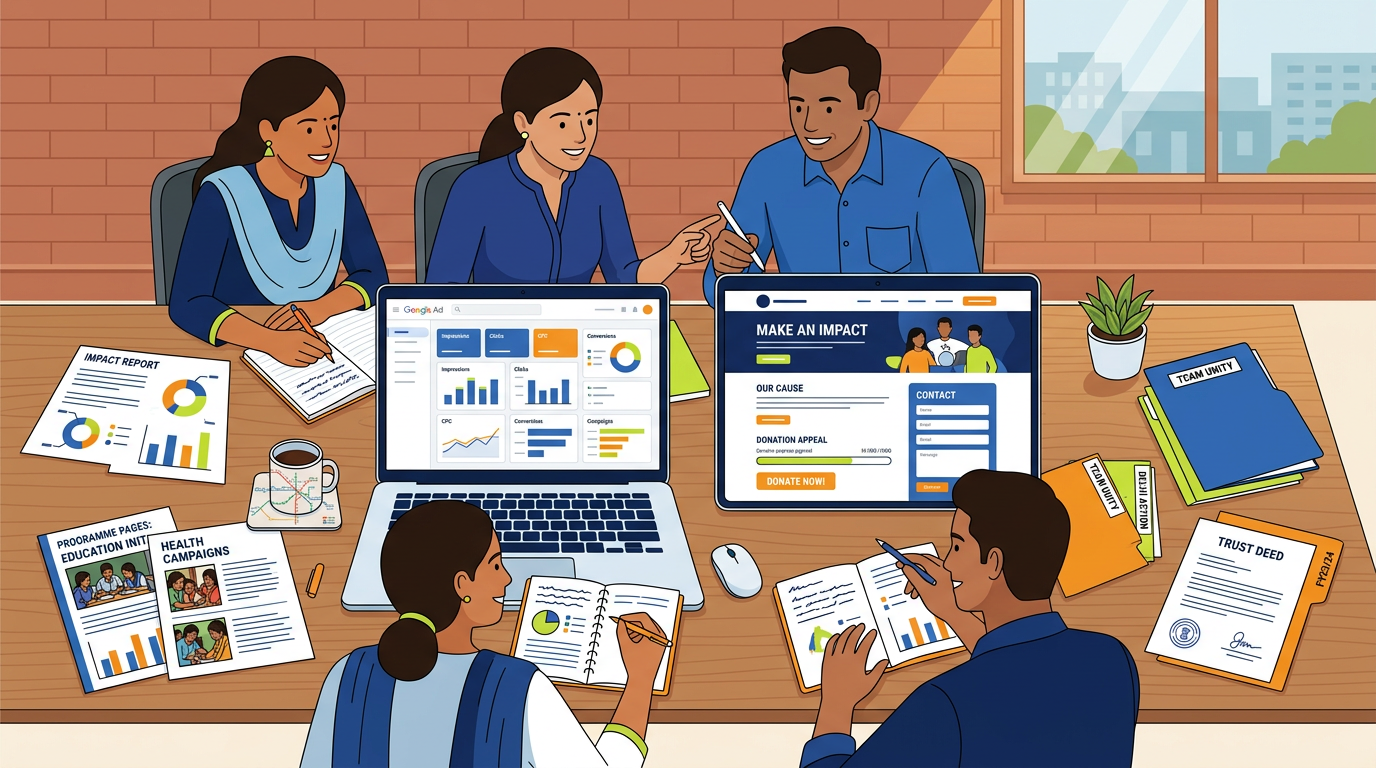
Google Ad Grants can give eligible Indian nonprofits up to US$10,000 per month in Google Search advertising, but the credit is wasted if visitors land on a vague, slow or untrackable website. Before applying, build credible programme pages, clear donation and volunteer journeys, and conversion tracking that proves what each campaign achieved.
Is Google Ad Grants available to nonprofits in India?
Yes. Eligible charitable organisations in India can apply for Google for Nonprofits and, once accepted, access Google Ad Grants. The grant provides advertising credit for Google Search campaigns, allowing an NGO to appear when people search for relevant causes, services, volunteering opportunities, campaigns or donation options.
For an Indian NGO, this can support searches such as:
- “donate school supplies Delhi”
- “blood donor registration India”
- “women skill development NGO”
- “volunteer with NGO in Gurgaon”
- “education support for underprivileged children”
- “NGO helping elderly people in Delhi”
- “CSR NGO partner India”
The grant is not cash. Google does not transfer US$10,000 to your bank account. It is advertising credit restricted to eligible search campaigns inside a Google Ads account.
It also does not guarantee donations, volunteers or press coverage. Google can send traffic; your website has to make a credible case for action.
A Google Ad Grant is a distribution channel, not a fundraising strategy.
I have seen this issue repeatedly on NGO work: the organisation has genuine work on the ground, but its website has one generic “About Us” page, a broken donation button and no way to measure enquiries. That setup may look acceptable to a committee, but it does not convert paid search visitors.
For examples of how programme-led NGO websites can be structured, see my work with Sarv Dharam Sewa Sangh, Sarv Dharm Sewa Foundation and Buddha Education Society.
Eligibility: registrations, TechSoup validation and the exclusions to check first
The application starts with Google for Nonprofits, not Google Ads. Google requires organisations to meet local eligibility requirements and complete validation through its nonprofit verification process, generally involving TechSoup or a local validation partner.
What an Indian nonprofit should have ready
Requirements can change, so verify the current India-specific checklist inside Google for Nonprofits before submitting. In practical terms, prepare:
- Registration certificate or trust/society/company incorporation records
- PAN and organisation details
- Proof of charitable status and operating address
- Official domain-based email address where possible
- Website showing your mission, programmes, leadership or governance details and contact information
- Bank and donation information if you plan to collect contributions online
- Authorised representative details for the person submitting the application
Indian organisations are commonly structured as:
- Public charitable trusts
- Registered societies
- Section 8 companies
A valid registration alone is not enough. Your website and public identity must also make clear that the organisation is genuine, active and aligned with a charitable purpose.
Organisations that may not qualify
Google’s nonprofit programmes have exclusions. Government entities, hospitals, academic institutions, schools, universities and some other organisation types are often not eligible for the standard programme, although separate Google programmes may exist for education or institutions.
Do not assume that being “not for profit” automatically qualifies you.
If your organisation runs a school, hospital or religious institution alongside charitable work, check the rules carefully before spending money on an application, website rebuild or consultant. The exact decision rests with Google and its validator.
Eligibility is confirmed by Google’s verification process, not by a web designer, agency or Google Ads freelancer.
Make your public trust signals visible
Before applying, I would ensure the website contains:
- Registration details where appropriate
- Organisation address and working phone number
- Trustees, founders or leadership information
- Annual reports, impact reports or audited summaries if available
- Privacy policy and terms for donations/forms
- A clear explanation of how donations are used
- Real programme photographs with consent and context
- Contact details that match your public records
I would not recommend hiding every organisational detail behind a WhatsApp number. That reduces donor confidence and makes paid campaign review harder.
What the Google Ad Grant gives you, and what it does not solve
The commonly stated maximum Google Ad Grant allowance is up to US$10,000 per month, or roughly ₹8.3 lakh per month at an exchange rate near ₹83 per US dollar. The exact INR equivalent changes with currency rates because the grant is denominated in USD.
That figure sounds enormous, but it is a ceiling, not a promise that you will spend it all or that all spend will produce results.
| Item | What it means in practice | Typical value |
|---|---|---|
| Monthly Google Ad Grant ceiling | Maximum available search advertising credit | Up to US$10,000/month |
| Approximate INR value | Depends on exchange rate | About ₹8.0–₹8.8 lakh/month |
| Ad format | Search text ads, subject to programme rules | Not a general display/social budget |
| Cash received by NGO | None | ₹0 |
| Best early goal | Trackable enquiry, volunteer signup, donation or resource download | 1–3 primary conversions |
| Initial launch period | Account setup, landing pages, tracking and campaign build | 2–6 weeks |
The grant can be valuable for high-intent searches. Someone searching “register as blood donor Delhi” or “support girls education NGO India” is already looking for a solution. A well-matched landing page can turn that intent into an action.
But it cannot fix:
- A confusing or outdated NGO website
- Missing programme information
- No online donation system
- Slow pages on Indian mobile networks
- Forms that do not work on phones
- No response process for leads
- Weak trust signals
- No tracking
- Generic ads targeting broad keywords such as “charity” or “help people”
Google Ads also has ongoing compliance and performance expectations. Accounts need active management, relevant keywords, usable landing pages and meaningful conversion actions. A “set it and forget it” setup is a risk.
For a broader view of website investment decisions across India and overseas teams, read What a Conversion-Focused Website Costs in the US vs India.
Why most NGO websites are not ready for grant traffic
Most NGO websites I review do not have a design problem first. They have a journey problem.
A visitor arrives from a search ad with a specific need. They want to donate to education, join a clean-up drive, register as a blood donor, sponsor a child, access support, or ask about CSR partnership. The website sends them to a homepage with a slider, a mission statement and five unrelated calls to action.
That is where grant traffic leaks.
The common gaps I see
On a recent NGO-oriented build, the priority was not adding more visual effects. It was separating real user journeys: donor, volunteer, beneficiary, blood donor and CSR partner. Each group needed different information and a different action.
The same pattern applies to most Indian charities.
| Website issue | What the visitor experiences | What to fix |
|---|---|---|
| One generic “Our Work” page | Cannot tell which programme fits their interest | Create one page per programme |
| Donation button goes to a bank detail image | No immediate, trusted online payment path | Use a secure payment gateway or donation platform |
| Volunteer form asks 20 questions | Mobile users abandon the form | Start with 5–8 essential fields |
| No impact proof | Donor cannot assess credibility | Add outcomes, reports, stories and dates |
| Homepage is the campaign landing page | Ad message and page message do not match | Build campaign-specific landing pages |
| No thank-you page | No reliable conversion tracking | Add confirmation screens and events |
| Contact is WhatsApp only | Hard to attribute or manage leads | Use forms, CRM/email alerts and tracked calls |
| Heavy image slider | Slow mobile loading and weak clarity | Use one strong headline and compressed images |
Paid search works best when the ad promise, keyword and landing-page action match exactly.
A person searching “volunteer teaching Delhi” should not land on a page that says only “We believe in humanity.” They should see the teaching programme, location, time commitment, eligibility, dates, photographs, a short form and a visible next step.
Mobile performance matters more than committee approval
A large share of traffic for Indian NGOs will come from mobile devices. If the website takes six to eight seconds to become usable, uses tiny form fields or requires users to download a PDF before they can act, your campaign performance will suffer.
I would test every key page on:
- A mid-range Android phone
- Chrome mobile
- A slower 4G connection
- A real donation flow from start to payment confirmation
- A real volunteer form submission
- A thank-you page and email notification
For technical benchmarks and practical fixes, see Core Web Vitals 2026: LCP, INP, CLS Explained.
The landing pages every programme needs before ads go live
You do not need 50 pages before launching. You do need focused pages for the programmes you intend to advertise.
I normally recommend starting with three to five priority campaign pages. Choose programmes that are active, have a clear audience, can accept more demand and have someone available to respond.
A practical landing-page structure
Each programme page should answer six questions quickly:
- What problem are you addressing?
- Who benefits?
- What does the programme actually do?
- Where does it operate?
- What proof or outcomes can you show?
- What should the visitor do next?
For example, an education programme page could include:
- Clear headline: “Support after-school learning for children in [area]”
- One-sentence summary of the need
- Age group, location and programme schedule
- What a monthly or one-time donation supports
- Programme photos with captions and permission
- Measurable outputs where available, such as students supported, classes held or kits distributed
- Donation module
- Volunteer enquiry module
- CSR/contact CTA for larger partners
- FAQs about receipts, tax treatment and updates
- Contact information and trust details
Build pages around intent, not internal departments
NGOs often organise themselves internally by committees, projects or funding categories. Searchers do not use those labels.
Use language your supporters search for:
| Internal label | Better public-facing page angle |
|---|---|
| Education Project Phase II | After-school education support for children in Delhi |
| Community Health Initiative | Free health camps and preventive care for low-income families |
| Women Empowerment Cell | Skill training and livelihood support for women |
| Emergency Relief Fund | Donate emergency ration and relief supplies |
| Youth Committee | Volunteer opportunities for students and young professionals |
This is also useful for SEO and AI answer engines. Pages with specific programme details, clear headings, named locations and direct answers are easier to understand than vague mission copy. My guide on AEO & GEO in 2026 explains the same principle for visibility in ChatGPT, Gemini and Perplexity.
What I would not recommend
I would not recommend sending all campaigns to:
- Your homepage
- A PDF annual report
- A Facebook page
- A generic Linktree page
- A Google Form with no programme explanation
- A page with only a QR code and bank account details
Those may be useful supporting assets, but they are weak primary landing pages for grant traffic.
Build donation paths, volunteer forms and conversion tracking that prove value
A grant account is easier to manage when the organisation knows what success looks like.
For most nonprofits, I set up a small number of primary conversions rather than tracking every button click as a “win.”
Track outcomes, not vanity interactions
Useful primary conversions include:
- Completed donation
- Donation value, where the payment platform supports it
- Volunteer application submitted
- CSR partnership enquiry
- Beneficiary support request
- Event registration completed
- Blood donor registration completed
- Appointment or counselling request submitted
For a platform like Sarv Dharm Blood, the core conversion may be donor registration or a valid blood request, rather than a generic page view.
Secondary events can include:
- Click-to-call
- WhatsApp click
- Downloaded annual report
- Viewed donation page
- Watched programme video
- Newsletter signup
These are useful for diagnosis, but I would not optimise the whole ad account around them if the real objective is donations or qualified volunteer applications.
If a conversion cannot be tied to a meaningful action, it should not be your main bidding signal.
Donation setup: make it trustworthy and simple
Your donation journey should show:
- Organisation name
- Donation purpose where relevant
- One-time and monthly option, if supported
- Payment methods relevant to your audience
- Receipt or confirmation process
- Privacy information
- Contact for payment problems
- Tax benefit information only if legally applicable
For Indian donors, payment options may include UPI, cards, net banking and wallets depending on your payment provider. For international donors, ensure your payment arrangement complies with applicable Indian regulations and foreign contribution rules. Do not claim overseas donation eligibility unless your legal and banking setup supports it.
Use GA4 and Google Tag Manager properly
My standard measurement stack is:
- Google Analytics 4 (GA4)
- Google Tag Manager
- Google Ads conversion tracking
- Google Search Console
- Consent banner where required by your audience and jurisdiction
- Payment-provider confirmation events where technically available
A straightforward setup may track:
- Visitor lands on an education campaign page.
- Visitor clicks “Donate now.”
- Payment page opens.
- Donation succeeds.
- Thank-you page fires a
donation_completeevent. - GA4 records the event.
- Google Ads imports or receives the conversion.
If your payment gateway cannot pass transaction value or confirmation data reliably, track completed thank-you pages first, then improve the integration. Do not pretend a donation was completed merely because someone clicked the button.
Your operational response time affects campaign performance
A volunteer enquiry submitted on Friday and answered 10 days later is not a marketing success.
Set ownership before ads launch:
- Who receives form emails?
- Who calls volunteers back?
- Who verifies donation issues?
- Who responds to CSR enquiries?
- What is the response SLA?
- Where are leads recorded?
For many small NGOs, a simple shared inbox, Google Sheet or HubSpot Free CRM is enough at the start. The important part is consistency.
A practical setup sequence: Google for Nonprofits, Ads, GA4 and Tag Manager
The best order is website readiness first, application second, campaigns third. You can begin the Google for Nonprofits application while web fixes are in progress, but do not rush ads live before measurement and landing pages are ready.
Phase 1: audit the current website
I would review:
- Eligibility and trust information
- Existing programme pages
- Mobile page speed
- Donation journey
- Forms and email delivery
- Analytics access
- Search Console access
- Existing Google Ads account status
- Privacy and cookie disclosures
- Staff response process
This takes roughly one to three working days for a focused audit, depending on site size and access.
Phase 2: fix the conversion foundation
Prioritise the pages and actions that campaigns will use:
- Create 3–5 programme landing pages
- Repair or replace donation flow
- Add volunteer and CSR forms
- Add thank-you pages
- Install GA4 and Google Tag Manager
- Configure key conversion events
- Improve mobile speed and navigation
- Add trust pages and contact details
Phase 3: apply for Google for Nonprofits
Once your organisation materials are ready:
- Create or use an organisation Google account.
- Start the Google for Nonprofits application.
- Complete validation with the required verification partner.
- Activate the Google Ad Grants product after approval.
- Create or link the appropriate Google Ads account.
- Configure billing and account settings only as required by the programme.
- Build campaigns around active programmes and measurable actions.
Use the official Google documentation at the time of application because processes, local validation partners and required fields can change.
Phase 4: launch controlled campaigns
Start narrow. I would usually begin with:
- Branded campaigns: organisation name, programme name
- High-intent donation terms
- Volunteer opportunity terms
- Specific service or cause terms
- Location-based terms where the programme is local
- CSR/partnership terms only if the organisation can handle larger enquiries
Avoid broad, emotional keywords with unclear intent. Terms like “help,” “charity,” “donation” and “NGO” can attract irrelevant clicks unless tightly structured.
A sensible first campaign set may contain 20–60 targeted keywords across a few ad groups, not thousands of loosely related terms.
Phase 5: optimise monthly
The grant needs active stewardship. Each month, review:
- Search terms
- Click-through rate
- Conversion volume
- Cost per conversion equivalent
- Landing-page engagement
- Geographic relevance
- Negative keywords
- Broken forms or payment issues
- Lead quality
- Unanswered enquiries
Google Ads recommendations can be useful, but I would not apply them blindly. Automated recommendations often prioritise spend or broad reach, while an NGO may need qualified actions and safe messaging.
Budget, timeline and website-fix costs: India versus overseas nonprofit teams
The ad credit is free if you qualify. The preparation, website work, tracking and campaign management are not.
Costs vary widely by site condition, platform and whether you have an internal team. The ranges below are practical planning estimates, not fixed quotes. A WordPress site with usable content costs less to repair than a legacy site with no access, no donation integration and no analytics.
| Scope | Typical timeline | India-based delivery range | US/UK/Australia/Gulf agency range |
|---|---|---|---|
| Website and tracking audit | 1–3 working days | ₹15,000–₹40,000 / US$180–$480 | US$500–$1,500 |
| Basic grant-readiness fixes | 1–2 weeks | ₹40,000–₹1.2 lakh / US$480–$1,450 | US$1,500–$5,000 |
| 3–5 programme landing pages + GA4/GTM | 2–4 weeks | ₹80,000–₹2.5 lakh / US$960–$3,000 | US$3,000–$10,000 |
| New NGO website with donation and forms | 4–8 weeks | ₹1.5–₹5 lakh / US$1,800–$6,000 | US$6,000–$25,000+ |
| Monthly grant campaign management | Ongoing | ₹20,000–₹75,000/month / US$240–$900 | US$750–$3,000+/month |
These ranges depend on content readiness. If your team has no programme copy, no approved photographs, no donor policy and no payment provider, the project takes longer regardless of where the developer is based.
For a detailed India website cost breakdown, see How Much Does a Website Cost in India in 2026?. If your trustees, donors or programme managers are spread across countries, my guide to working with an offshore web partner across time zones covers the practical handover process.
A launch checklist for NGO teams
- Confirm that your organisation type is eligible for Google for Nonprofits in India.
- Gather registration, PAN, address and authorised representative details.
- Check that the website has clear contact, privacy and trust information.
- Select 3–5 active programmes suitable for search campaigns.
- Create one focused landing page per priority programme.
- Test donation payment from mobile through to confirmation.
- Create short volunteer and CSR enquiry forms.
- Set up GA4, Google Tag Manager and Google Search Console.
- Track completed donations, submitted forms and completed registrations.
- Create thank-you pages after every important conversion.
- Assign a staff member to respond to each enquiry type.
- Build campaigns only after landing pages and tracking are live.
- Review search terms and conversions every month.
- Keep access to your Google account, domain, analytics and payment gateway under NGO ownership.
The organisation should own its domain, Google accounts, Analytics property, Tag Manager container and payment gateway credentials.
The bottom line
Google Ad Grants for nonprofits in India can be a serious acquisition channel, especially for donations, volunteers, programme enquiries and awareness campaigns with clear search intent. But applying before fixing the website creates activity without proof of value.
If your NGO has a real programme but an unclear digital journey, I can map the landing pages, donation flow, tracking plan and website fixes before you spend time on the grant application. Review my services, see relevant portfolio work, or book a conversation through the contact page. I also offer a free 48-hour website mockup for suitable projects.
FAQ
Is Google Ad Grants available for NGOs and charities in India?
Yes, eligible Indian charitable organisations can apply through Google for Nonprofits and then access Google Ad Grants after approval. Your organisation must meet Google’s local eligibility requirements and complete the required validation process. Always check the current official India requirements before applying because programme rules can change.
How much advertising credit does Google Ad Grants provide each month?
Google Ad Grants is commonly offered at up to US$10,000 per month in Google Search advertising credit. At an exchange rate near ₹83 per US dollar, that is approximately ₹8.3 lakh monthly, though the INR value changes with currency rates. It is advertising credit, not cash paid to the NGO.
Can an Indian NGO use Google Ad Grants for donations and volunteers?
Yes, provided the campaigns, landing pages and conversion actions comply with Google’s policies and your organisation is eligible. You can promote programme pages for donations, volunteering, event registrations, support services and awareness. The important part is sending users to relevant pages with a clear action and tracking the result.
What documents does an Indian nonprofit need to apply for Google for Nonprofits?
Typically, you should prepare organisation registration records, PAN and legal details, operating address, authorised representative information and a credible public website. The exact documents and validation method depend on Google’s current India process and its verification partner. Check the official application flow rather than relying on an old checklist.
Why can a Google Ad Grant account be suspended after approval?
Accounts can run into trouble when they are inactive, poorly maintained, use irrelevant keywords, have weak landing pages, fail to follow programme policies or do not meet performance and conversion requirements. Broken websites, generic campaigns and no meaningful tracking are common operational risks. Review search terms, conversions and site health monthly rather than treating approval as the finish line.
Do we need a new website before applying for Google Ad Grants?
Not always. If your existing website has credible programme pages, a functioning donation path, mobile-friendly forms, clear trust information and conversion tracking, targeted improvements may be enough. If it is slow, vague, unmaintained or unable to collect and measure actions, rebuilding key sections before launching ads is usually the better investment.
Work with me
Want the same for your business?
I help founders in India and worldwide ship fast, SEO-ready websites that rank on Google — and get cited by AI search.
Start a projectKeep reading
17 Best AI Web Design Tools for Agencies in 2026

How Much Does a Website Cost in India in 2026? (Full INR Breakdown)
Hiring a Web Designer in India in 2026: Real Costs, Real Risks, and How to Vet One
Google AI Mode & AI Overviews 2026: How Businesses in India and Globally Should Adapt
SEO Services in India: What Actually Works in 2026 (Post-AI-Search)